> For the complete documentation index, see [llms.txt](https://docs.aqua.network/llms.txt). Markdown versions of documentation pages are available by appending `.md` to page URLs; this page is available as [Markdown](https://docs.aqua.network/user-guides/pools/manage-concentrated-liquidity-pool-positions.md).
# Managing concentrated positions
How to open, monitor, and rebalance concentrated liquidity positions in the Aquarius interface.
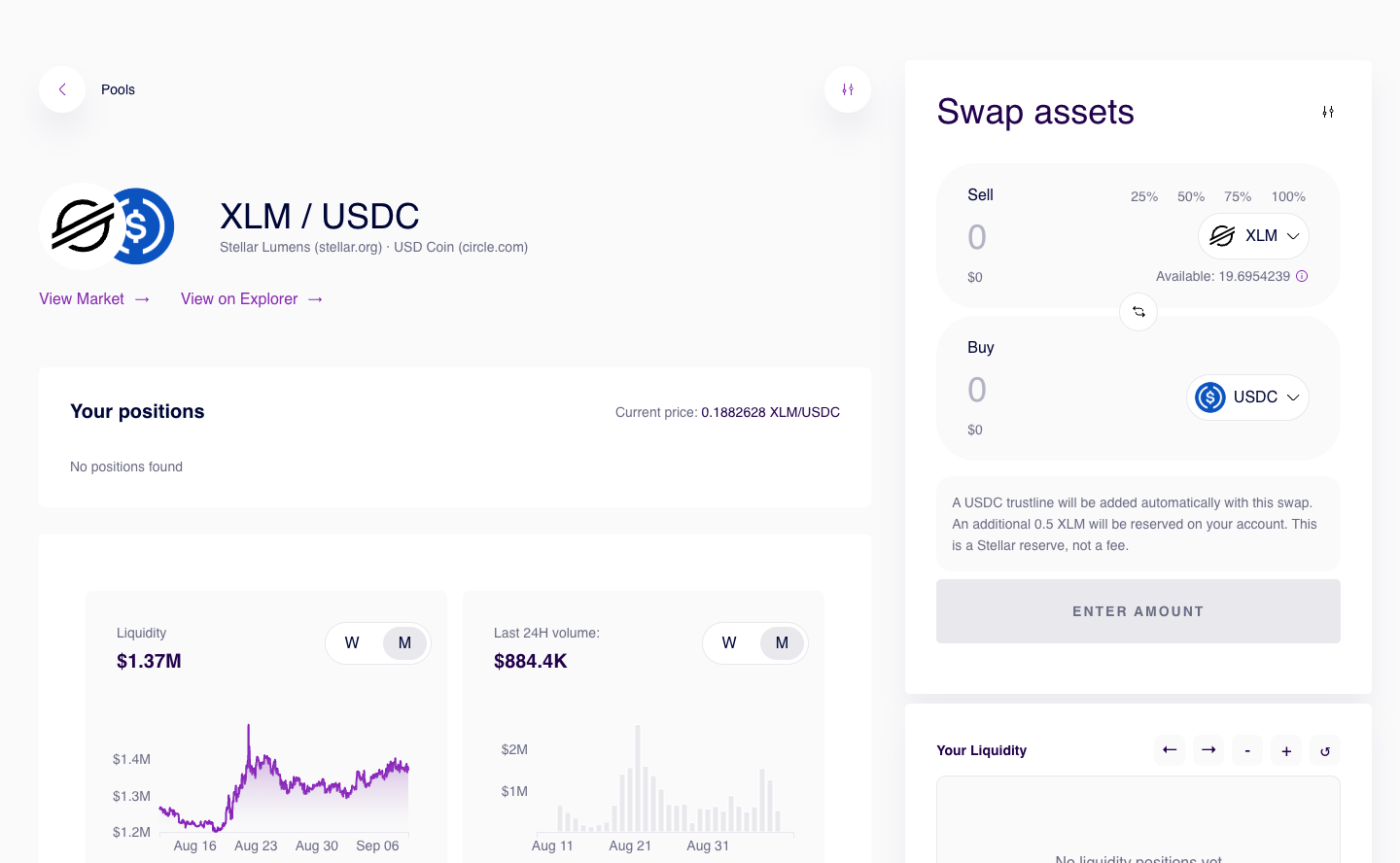
Concentrated liquidity pools can be found on the same page as volatile and stable. One can filter pools by type and view concentrated pools only:
Concentrated liquidity pools are inspired by the Uniswap v3 primitive and share the general approach - the depositor determines the price range their liquidity should be used in swaps.
{% hint style="info" %}
Prefer managing positions with code? See the [Concentrated liquidity developer guide](/developers/concentrated-liquidity.md) for the smart contract interface and examples.
{% endhint %}
Before depositing one can view how previously deposited liquidity is distributed on the price range in relation to the market price always positioned in the center of the diagram:
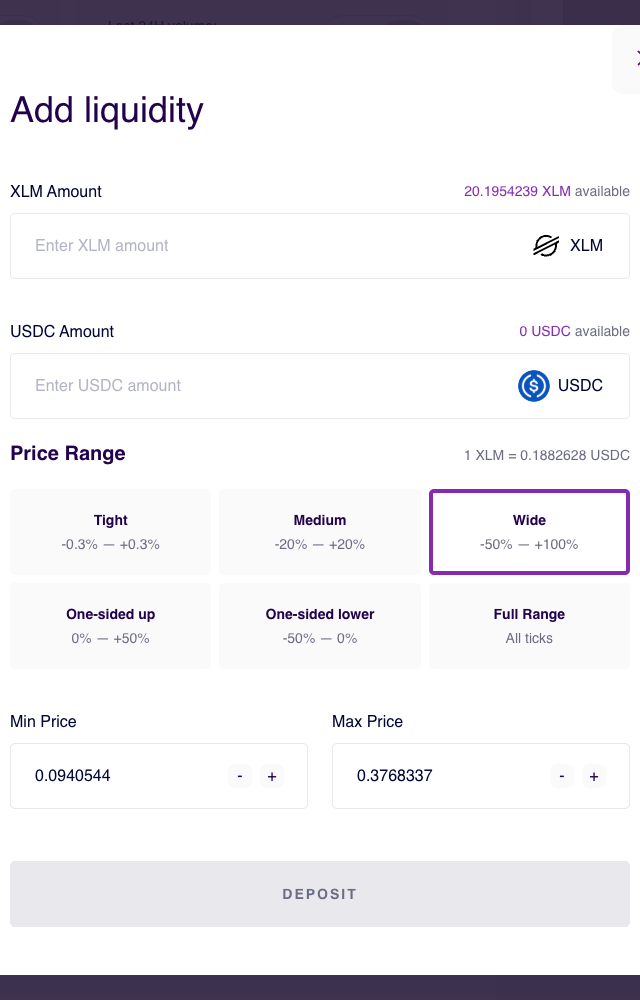
Like on normal deposits a user would specify the amounts of tokens deposited - the amount will be automatically adjusted in relation to the current market price. Besides, a user needs to specify the price range their deposited liquidity will be used in. All the percentage values relate to the current market price:
* Tight. Works for stable and low-volatility pairs. Your liquidity will be concentrated from 0.3% below the current price to 0.3% above it.
* Medium. Works for moderately volatile pairs. Your liquidity will be concentrated from 20% below the current price to 20% above it.
* Wide. Works for volatile pairs. Your liquidity will be concentrated from 50% of the current price to double the current price.
* One-sided up. Works if you believe the price will go up. Your liquidity will be concentrated from the current price to 50% above it.
* One-sided down. Works if you believe the price will go down. Your liquidity will be concentrated from 50% below the current price to the current price.
* Full range. Works like a regular volatile pool. Your liquidity will be spread across the entire available price range.
Besides using a preset, user can also specify the price range manually in the inputs below. In this case the preset will be unselected.
The values provided (with a preset or manually) will be reflected on the visual diagram below and determine the positions of the vertical controls (marked with an arrow). Actions available with the diagram:
* Move the controls dragging them left and right, see the value reflected in the fields above
* Use `<=` and `=>` arrows to horizontally navigate
* Use `-` and `+` buttons to zoom out and in
* Use "refresh" button to bring the diagram to its pre-edit state
After setting the price range, review the deposit parameters and select **Deposit**.
Your concentrated liquidity positions will be reflected on the pool page. To continue earning rewards make sure that your positions are `IN RANGE`. In this case you can deposit more liquidity into the same position by clicking `ADD LIQUIDITY`.
In case you have multiple positions they will be stacked together and the `Your liquidity` chart on the right will visually reflect them on the price range.
In case the position is `OUT OF RANGE` it doesn't earn any rewards and the most reasonable thing to do would be removing/withdrawing liquidity and depositing it with another price range.
As a rule of thumb, concentrated liquidity positions should be constantly monitored and managed to avoid capital inefficiency.