> For the complete documentation index, see [llms.txt](https://docs.aqua.network/llms.txt). Markdown versions of documentation pages are available by appending `.md` to page URLs; this page is available as [Markdown](https://docs.aqua.network/user-guides/how-to-create-voting-incentives.md).
# Creating voting incentives
Create a voting incentive by selecting a market, reward asset, weekly amount, and distribution period in Aquarius.
Create a voting incentive to fund rewards for voters on a market. For collection, validation, and distribution rules, see [Voting incentives](/for-projects/what-are-voting-incentives.md). To earn voting rewards, see [Voting for markets](/user-guides/how-to-vote-for-markets-on-aquarius.md).
### Before you start
Connect your Stellar wallet and choose the market and reward asset. Check the [minimum size and validity requirements](/for-projects/what-are-voting-incentives.md#requirements-and-validity) before setting your budget.
{% hint style="info" %}
Voting incentives can fund any market. AQUA emissions are limited to assets whitelisted in the [Asset Registry](/governance/asset-registry.md), so a voting incentive does not make a non-whitelisted market eligible for AQUA rewards.
{% endhint %}
### Create a voting incentive
1. **Open** **Incentives** in the navigation and select [**Voting Incentives**](https://aqua.network/voting-incentives/).
2. **Select** **Add Voting Incentive**.
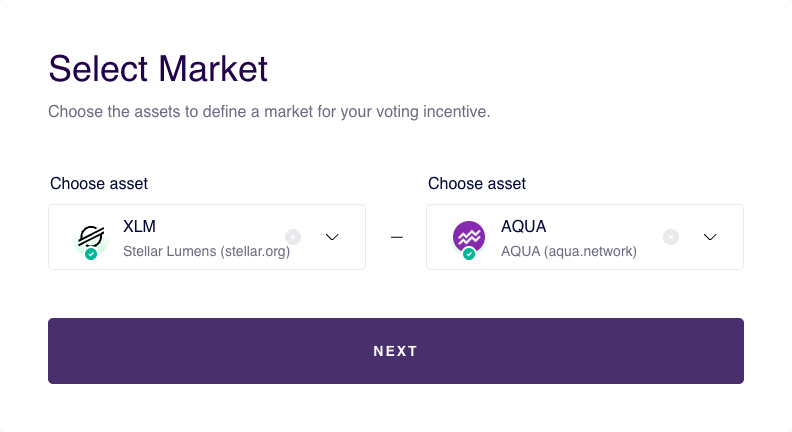
3. **Select** the 2 assets in **Select Market**, then select **Next**.
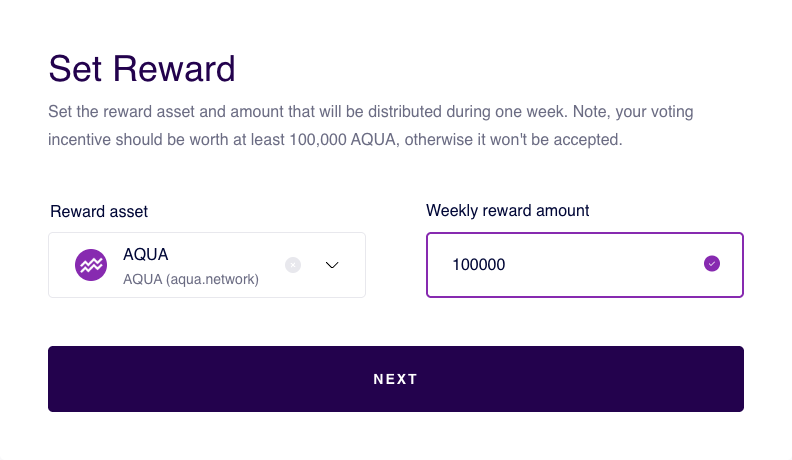
4. **Set** the **Reward asset** and **Weekly reward amount** in **Set Reward**, then select **Next**.
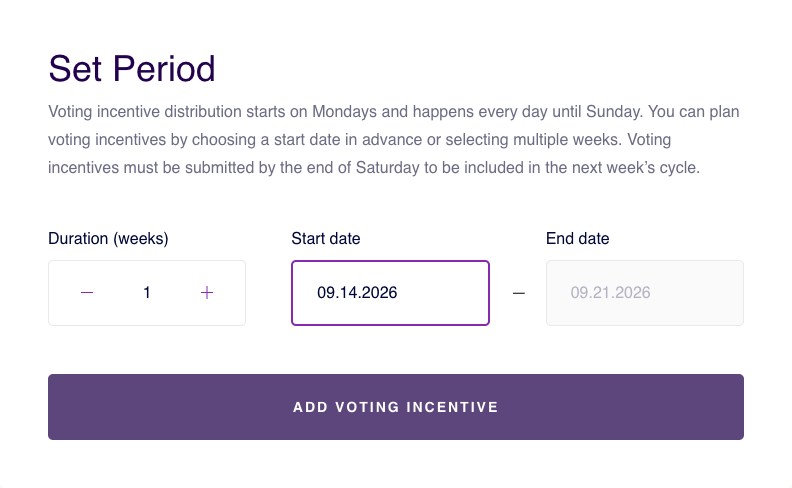
5. **Choose** **Duration (weeks)** and **Start date** in **Set Period**. The form calculates **End date**. Select **Add Voting Incentive** to review the campaign.
### Confirm the transaction
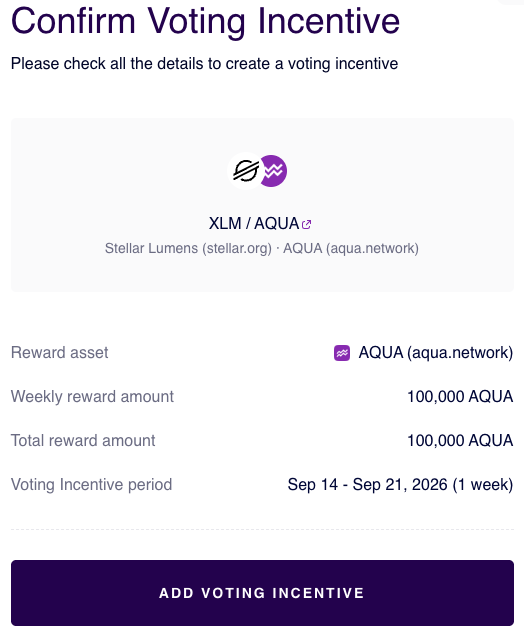
1. **Review** the market, reward asset, weekly amount, total amount, and period in **Confirm Voting Incentive**.
2. **Select** **Add Voting Incentive** and sign the transaction in your wallet.
After submission, the campaign is subject to the [collection and validity checks](/for-projects/what-are-voting-incentives.md#requirements-and-validity). Accepted voting incentives distribute rewards during the selected period; rejected voting incentives are returned to the sender.